Working prototype · 3 units built
RANGER
The off-grid messenger that works when the network doesn't.
Text · Push-to-talk · GPS tracking · SOS: no towers, no SIM, no internet.



01 · Why it matters
Everything else needs a tower
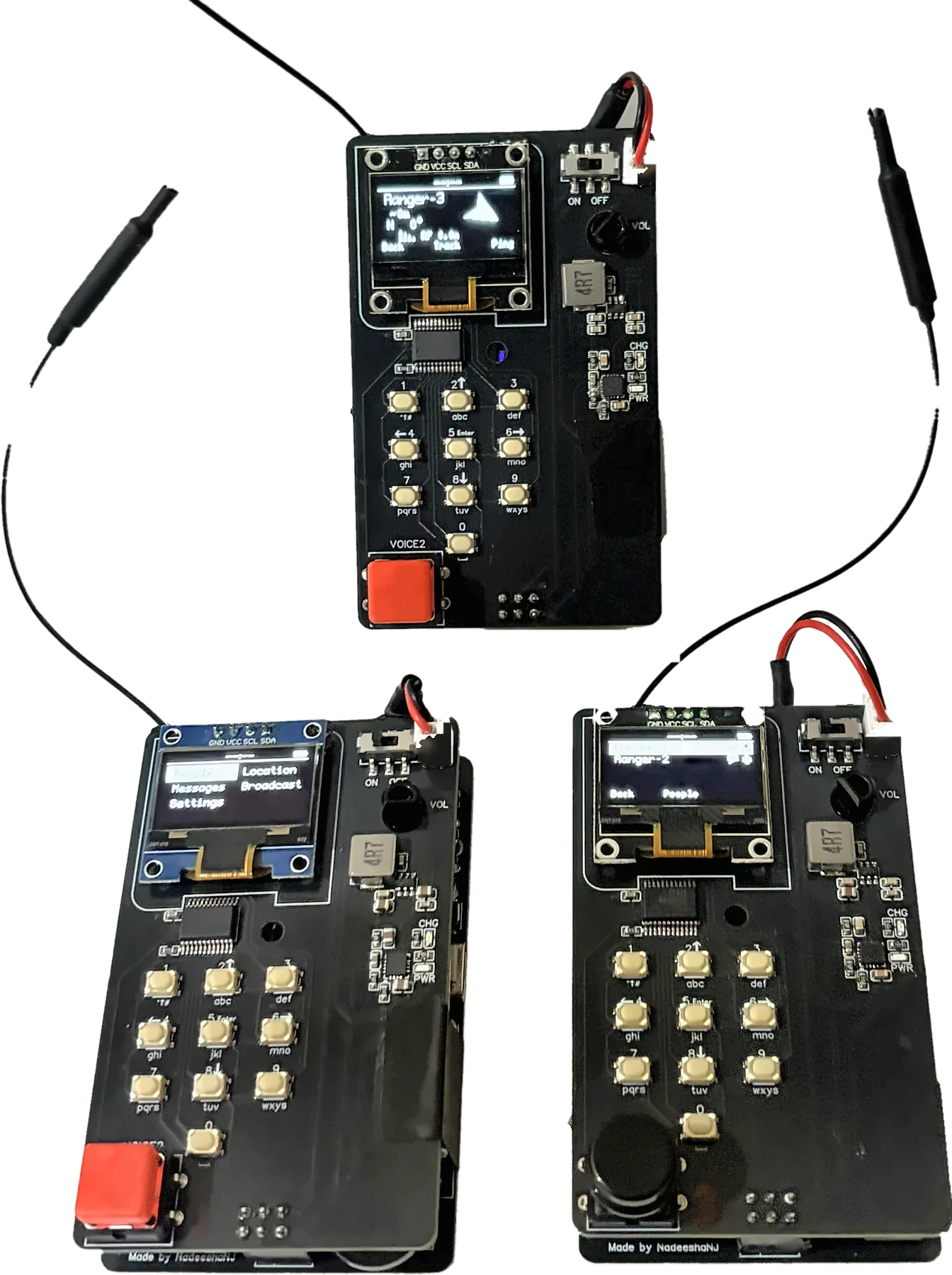
Ranger is a pocket radio that sends text, voice, location and SOS straight to other Rangers. No cell network, no SIM, no internet, and nothing in between to fail.
-
Problem
Towers and power fail in disasters
RangerDevice-to-device radio; every Ranger relays for the others
-
Problem
Networks can be throttled or shut off
RangerNo infrastructure to switch off
-
Problem
SIMs and monthly bills
RangerFree to use, forever
-
Problem
Walkie-talkies can be overheard
RangerAES-128 encryption on every packet
-
Problem
“Where are you?”
RangerLive GPS, compass arrow and distance, even radio ranging without GPS
02 · How it works
Radio, Ranger to Ranger
- 1Rangers talk directly over long-range LoRa radio.
- 2Out of reach? Another Ranger passes it on.
- 3Every packet is encrypted.
- 4Phones join a Ranger over Wi-Fi.
03 · What it can do
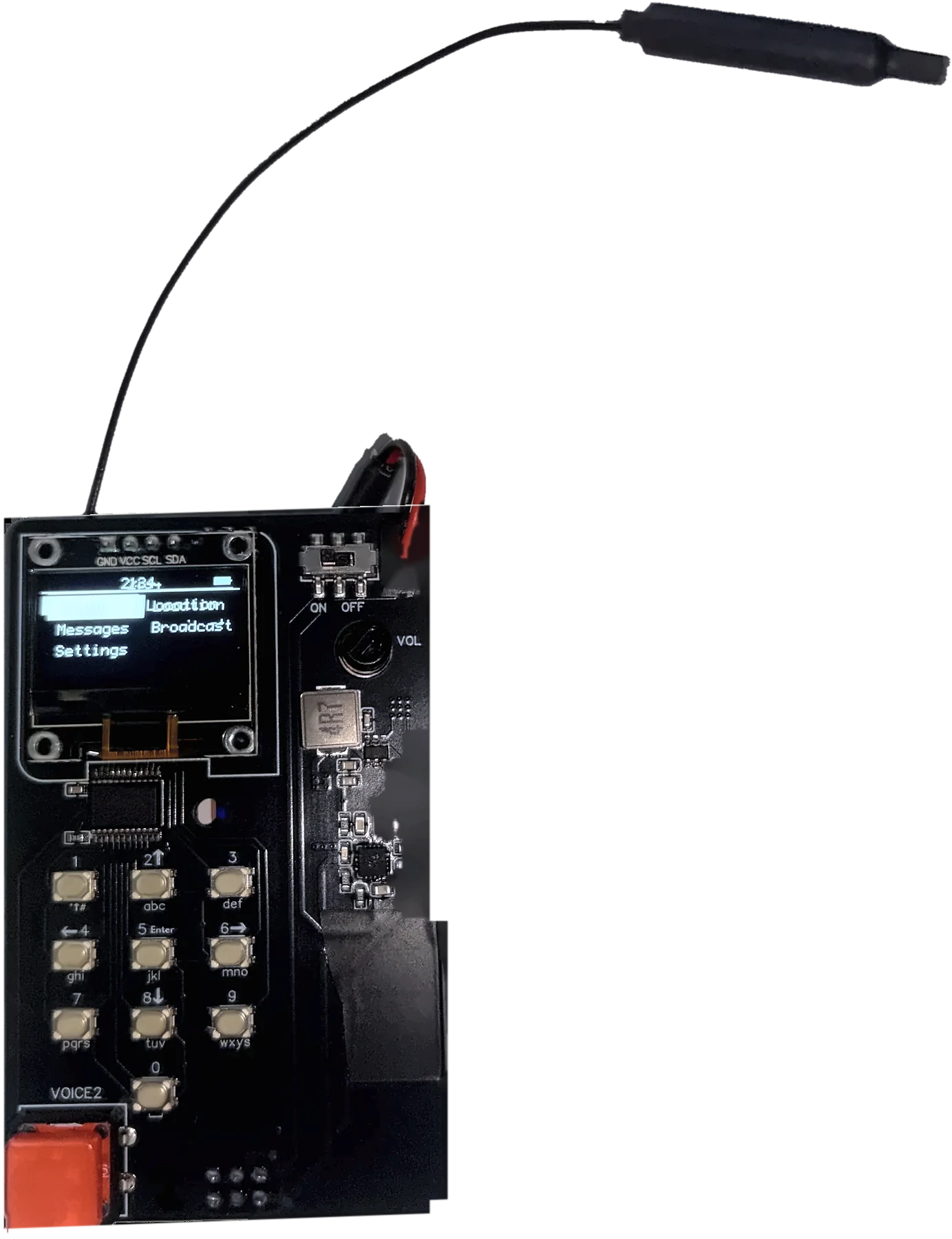
One radio, eight ways to stay in touch
-

01
Find your people
See every Ranger, and every phone, in range. A pin means they're sharing their location.
-

02
Text messages
Message one person or everyone. Type old-school on the T9 keypad and get a delivery confirmation.
-

03
Push-to-talk
Hold VOICE and talk, like a walkie-talkie, but private.
-
04
Track a teammate
An arrow that points to them as you turn, with distance and compass bearing.
-

05
No GPS? No problem
Ranger measures distance using the radio signal's time of flight.
-

06
Where am I
Your coordinates and a live compass. Share your position with one press.
-

07
SOS
One press alerts every Ranger, with your location.
-

08
Sleeps, still listening
Low-power mode turns the screen off but keeps the radio listening. A message wakes it instantly.
04 · See it in action
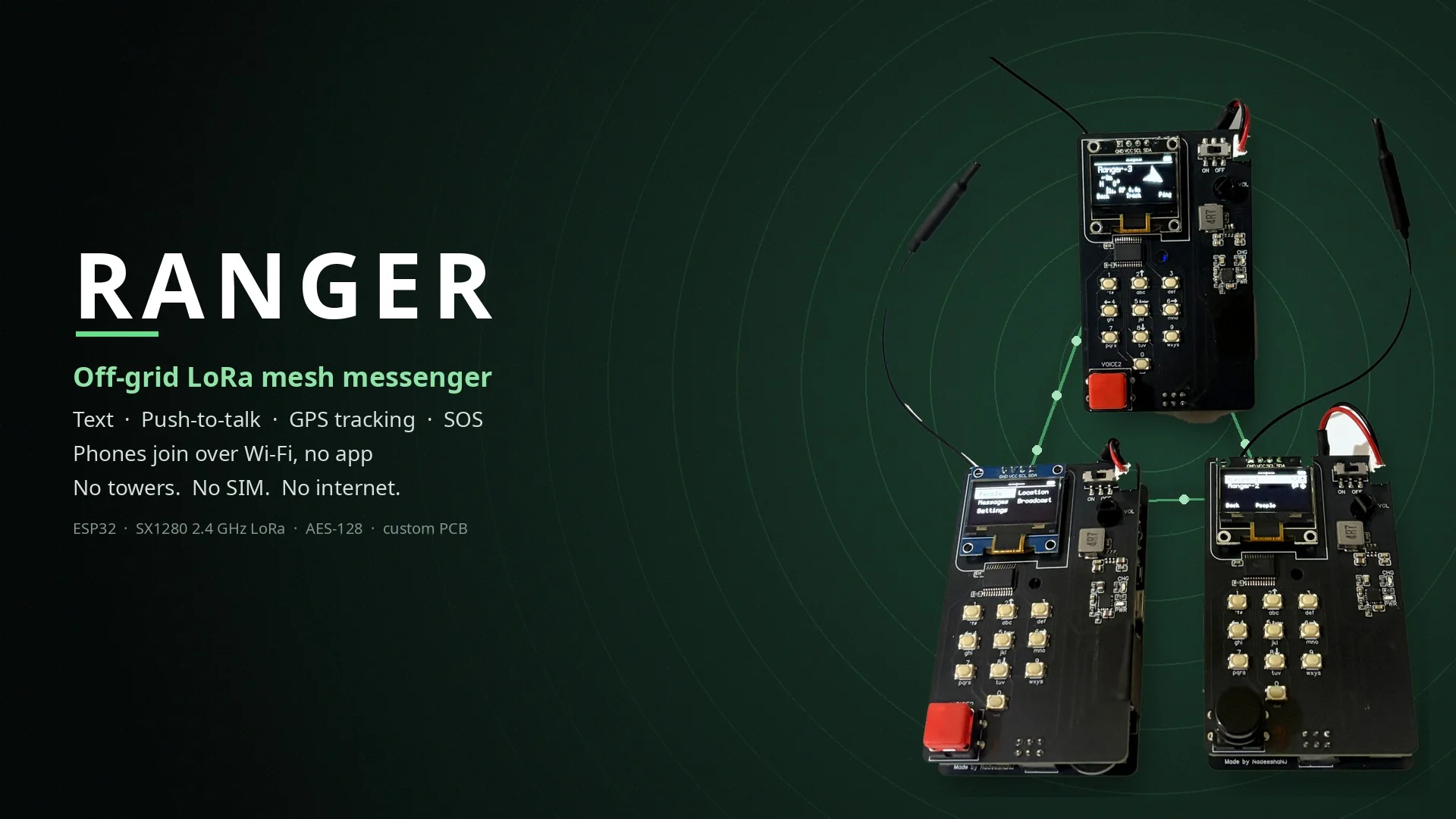
Real hardware, real hands
05 · Try it
Play with a Ranger
The screens are rendered from the real firmware. Flip the power switch, then press keys, turn the knob (drag or scroll it) and hold VOICE. With the simulator focused, the keyboard works too: digits, arrows, Enter, [ ] for the knob, hold Space to talk.
Enable JavaScript to play
06 · Phones join in
No app needed

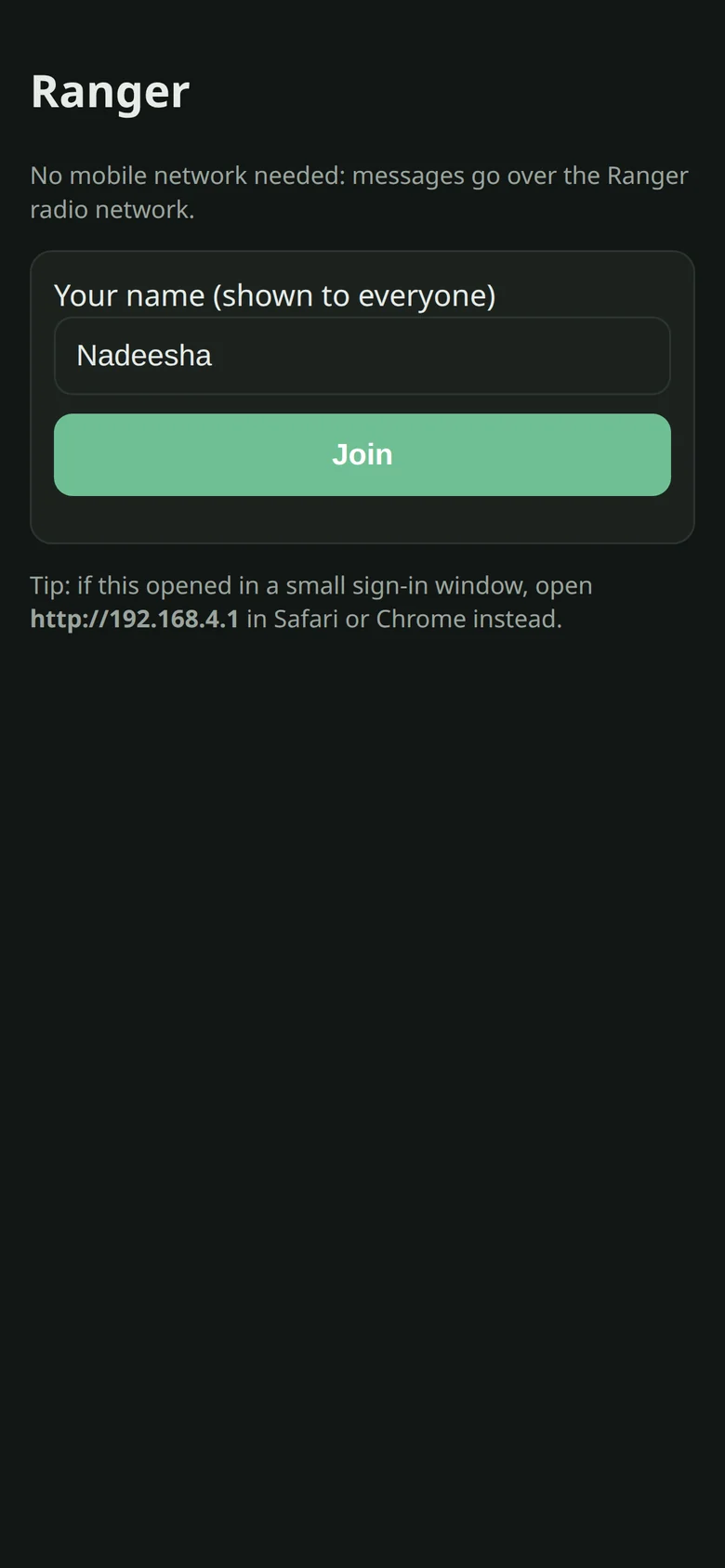
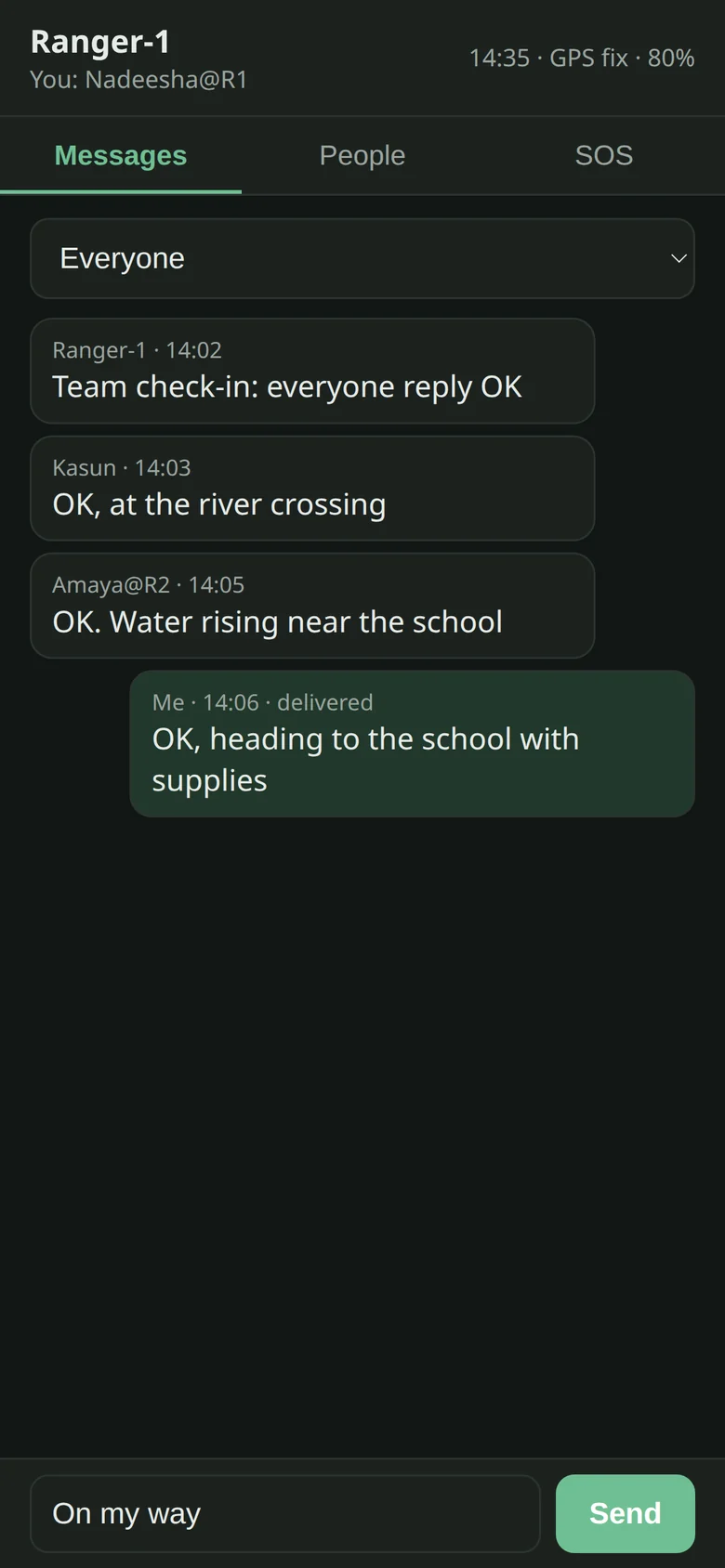
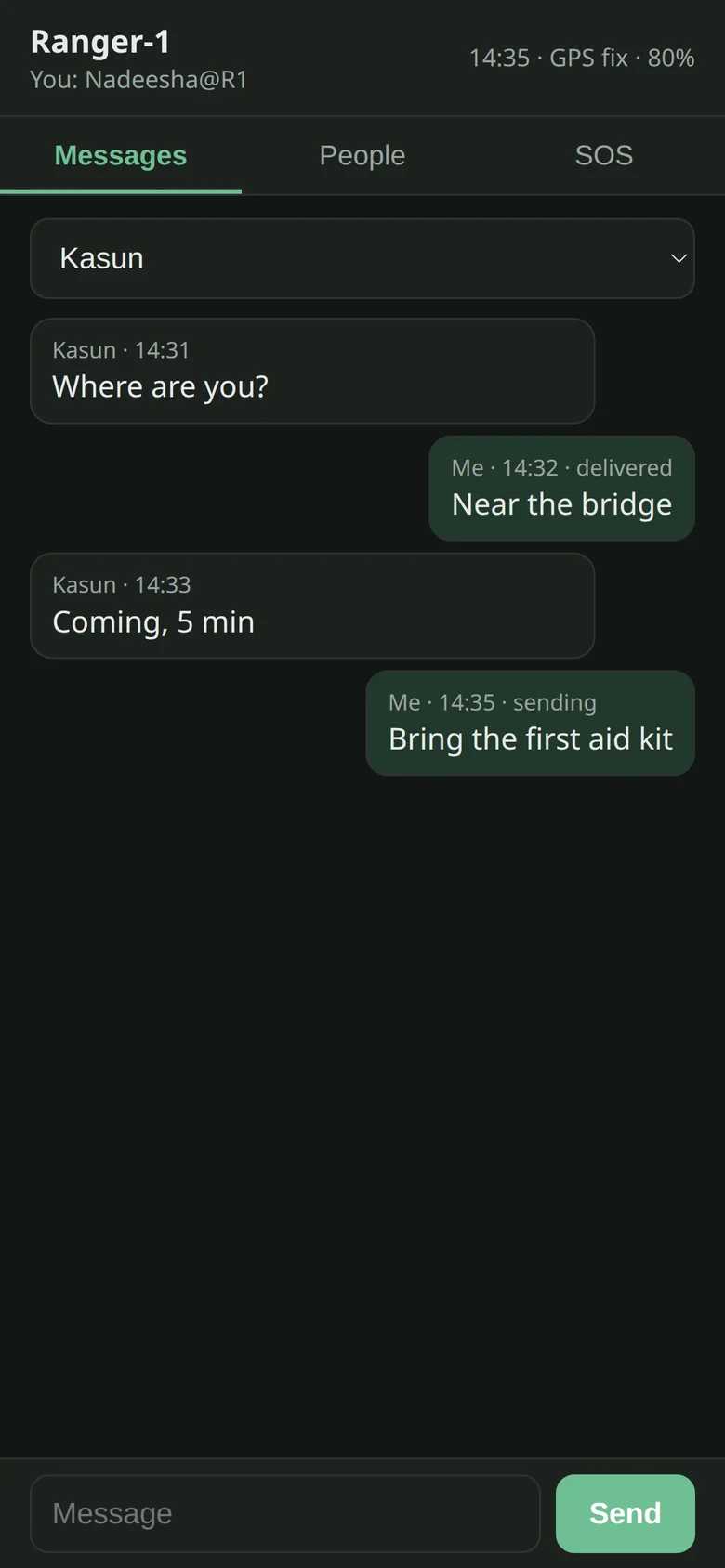
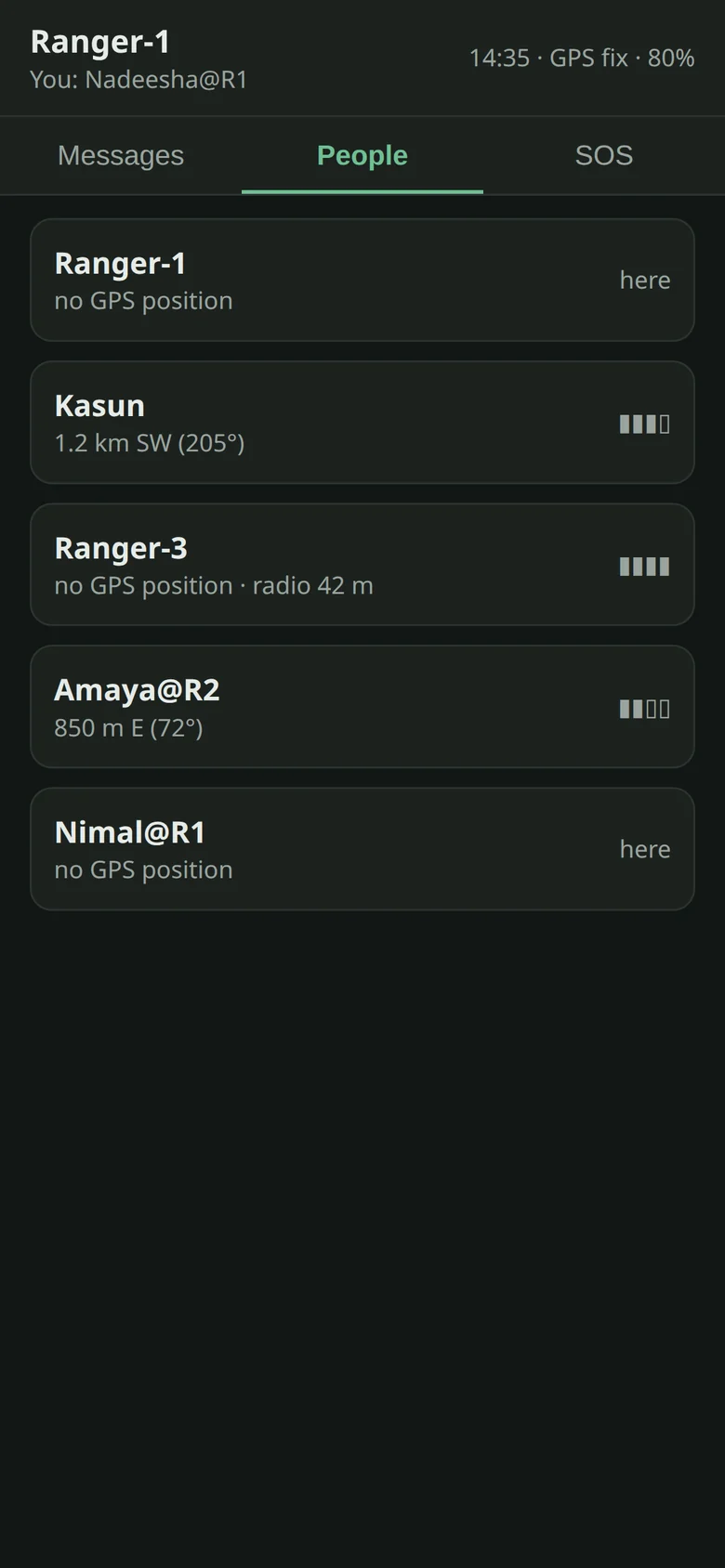
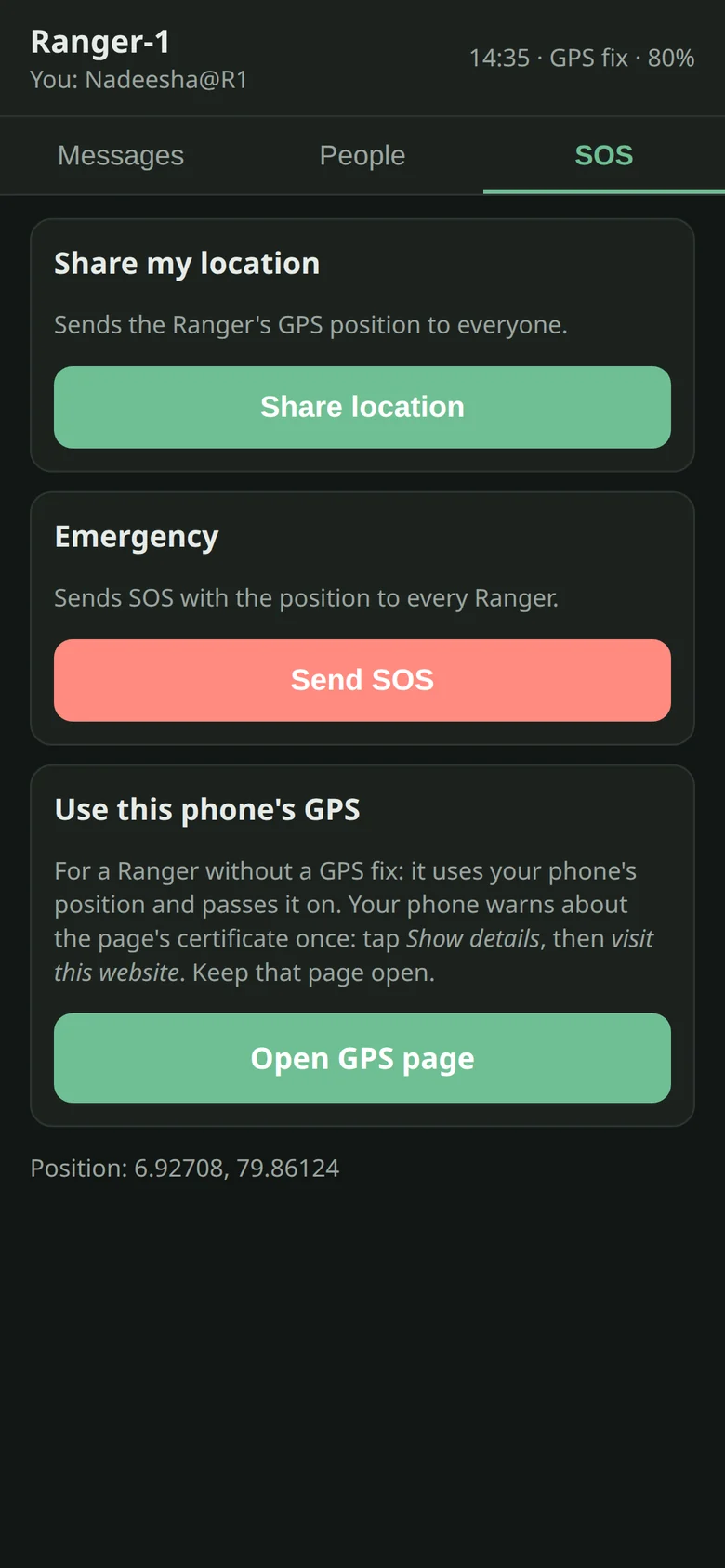


Your phone shows up on every Ranger as “Name@R1”. Up to 3 phones per Ranger. No internet, no mobile data, no app store.
The phone also sets the Ranger's clock. iPhone: allow Location for Safari Websites (While Using, Precise).
07 · How to use
Quick guide
Controls
- Power switch on/off (it says “Ranger” when it boots)
- Knob turn move, or volume on the main menu
- Knob press select, or send while typing
- Knob hold 1.5 s sleep
- 2 / 8 up / down · 4 back · 6 action · 5 select
- VOICE hold to talk
Send a message

People → person → Message (or Messages → chat → Reply). Multi-tap to type (2 = a, 22 = b, 222 = c). Knob left deletes, knob press sends, hold 4 goes back and keeps your draft.
Talk

Hold VOICE on someone's screen to talk to them, or anywhere else to talk to everyone. Release to listen.
Track someone

People → person → Track. Follow the arrow. Press 6 to ping them.
Your location

Location shows your coordinates and compass; press 6 to share. First time: press 0 and turn the Ranger once around, held flat (compass calibration). Point it north and press 8 to set north.
SOS
Broadcast → SOS. Every Ranger in reach gets it, with your location.
Settings

Volume 0–100 · Brightness 1–5 · Channel 0–15 (the whole team uses the same one) · Auto sleep 5 min/Off · Phone WiFi On/Off.
Low power
Hold the knob, or wait 5 min idle. The screen turns off and the radio keeps listening. A knob press or an incoming message wakes it.
08 · Under the hood
How it was built
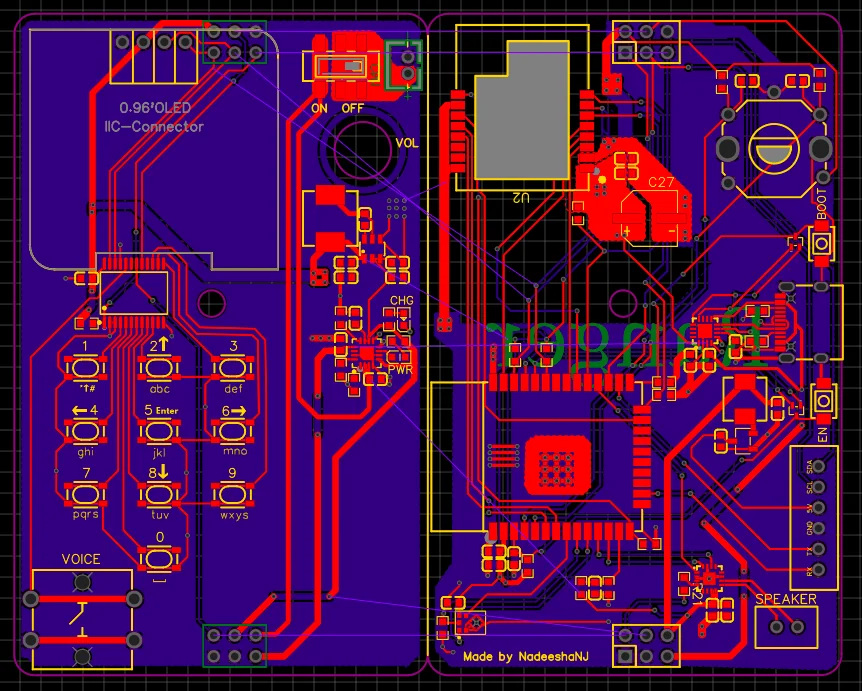
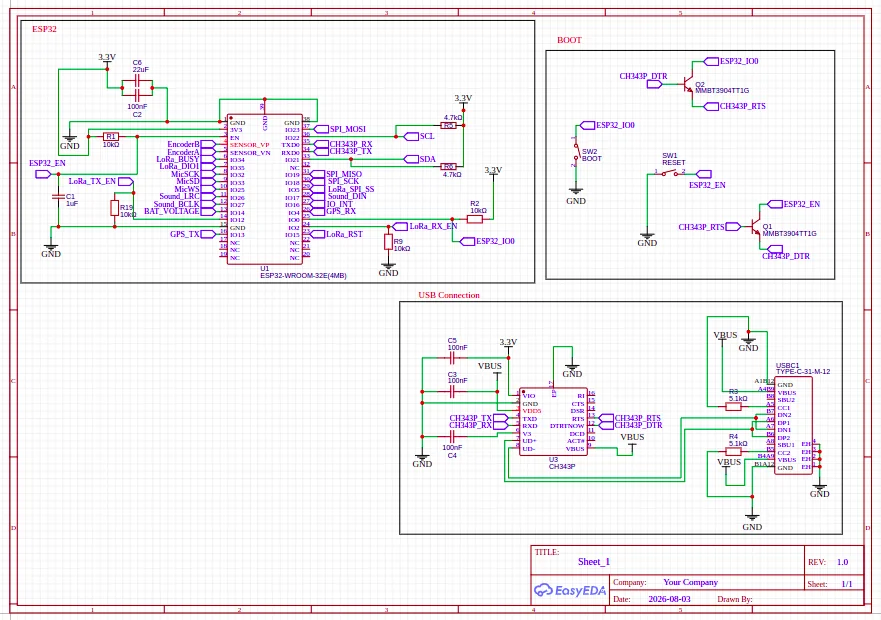
A working prototype on custom PCBs: three units built, outdoor range tests still to come. The full story, including what broke, is in the engineering write-up.
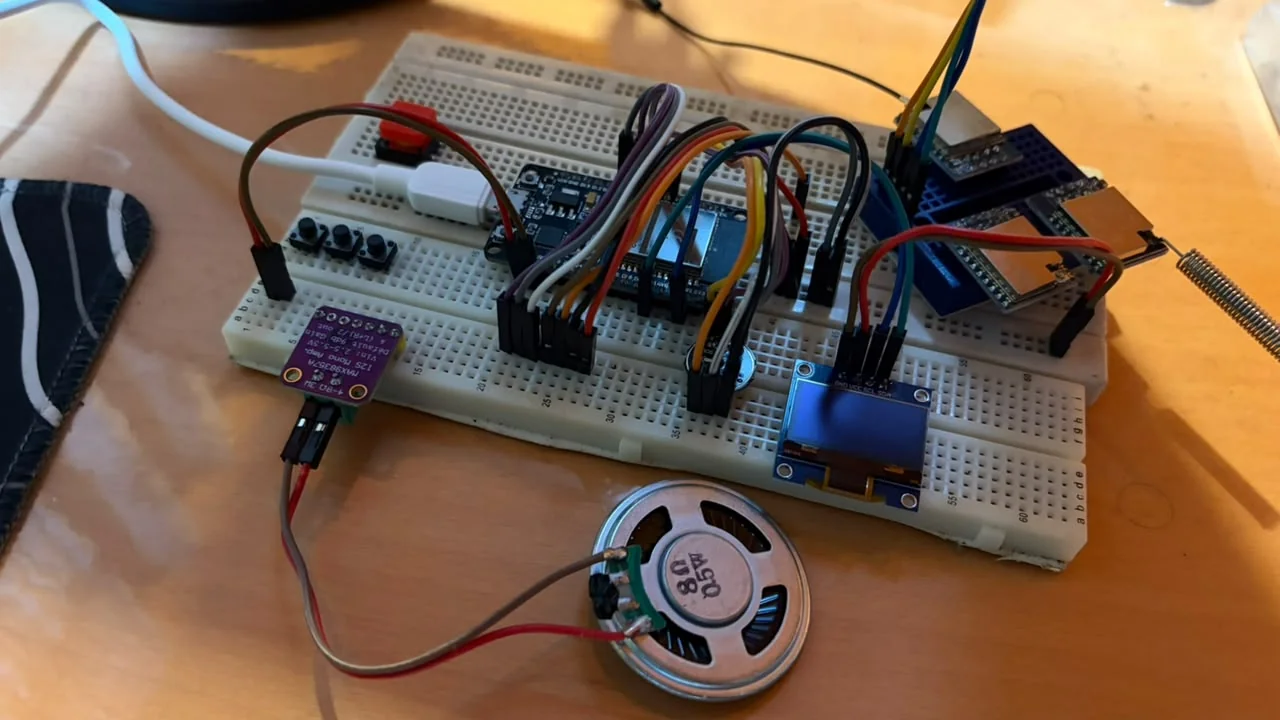 BreadboardCustom PCB
⟲ Tap the board to flip it
$ ranger --spec
MCUESP32-WROOM-32E, dual core
RadioSemtech SX1280, 2.4 GHz LoRa, PA + LNA
Networkdevice-to-device, relays for others, 16 channels
SecurityAES-128-CCM, tamper and replay protected
Voicepush-to-talk, compressed digital voice
LocationGPS + digital compass, radio time-of-flight ranging
PhonesWi-Fi hotspot, browser page, up to 3 phones
Display0.96" OLED 128x64, T9 keypad, rotary knob
PowerLiPo, USB-C charging, light sleep with radio listening
Cost to usezero: no SIM, no plan
09 · Where it helps
Made for places the network forgot
- Disaster responseCoordinate teams when towers fail.
- Families and neighbourhoodsAn instant community network in a blackout.
- Hikers and expeditionsFind each other with no coverage.
- Field workSurveys, farms, forests, research.
- Events and securityPrivate team chat and voice.
- Volunteers and NGOsCheap, rugged, subscription-free.
When the network goes down, Ranger keeps you connected.